• Home
  • Customer Service: [email protected] / +603-9054 1547 / +6016-721 1477 (office hrs only)
  • Dealer Enquiry
  • Contact Us
  • My Account
  • Login
 
You can find software, hardware, specifications and FAQ related information here.
 Question
How to use Sierra 881U/880E with GPS Function
Answer

To those who are using Sierra Wireless Aircard 881U with GPS enable, it is a waste of advantage for Sierra 881U users if they don't fully utilize this functionality. So how to use your GPS module in 881U '

1. Firstly, you need to have Sierra 3G Watcher GPS Edition installed on your laptop.

  • You may direct install the Sierra 3G Watcher GPS Edition "Watcher_Generic.exe" from CD.
  • Or you may download from below:

    Download 3G Watcher GPS Function

* Please take note that you have unlocked GPS version of Sierra 881U.

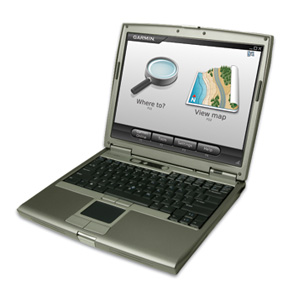
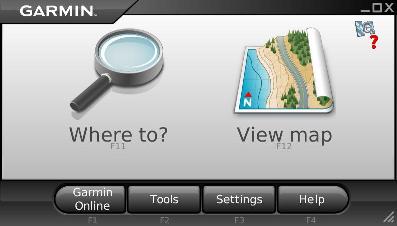
2. Second, you need to have Garmin Mobile PC "GarminSetup.exe" installed on your laptop from CD.

Step to Use the GPS navigation with Seirra 881U

1. Plug your USB 881U modem to your laptop.

2. Start your 3G Watcher.

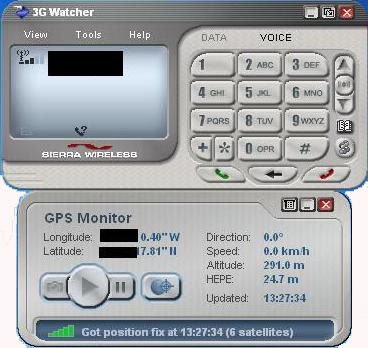
3. Go to Tools-> Display GPS

4. On the GPS Monitor window, click the Play button to start tracking and locking to your location. Make sure you have clear sky above you.

5. Wait for the signal bar to turn from red, to yellow, then green, meaning it successfully locked the satellites. If failed, try again until you have the location fixed.

6. You will have your screen like this.
7. Then, you are ready to use your Garmin Mobile PC. Just start the program and it will automatically detect your GPS connection and you are set ready to GO!

8. Enjoy your GPS navigation. Drive safely. ^_^

Watch the video on how user successfully using their Sierra 881U with GPS.

 FAQ
 
Problem DescriptionViewsPublished On
How to Install Gprinter GP58L Driver?182222-Nov-2016
ZTE MF821 Profiles Creating Steps:258426-Dec-2015
Guide to Pairing Wireless GSM Alarm368106-Mar-2015
Guide to Pairing Wireless GSM Alarm318006-Mar-2015
IP Camera: How to Set the IP Camera 003, XXC-5330-T, XXC-53310-T. Suitable for ID start with XXC...1807324-Apr-2014
IP Camera: How to Set the IP Camera NSD Model? Suitable for ID start with PPCN-XXX-XXXX910109-Nov-2013
Android Robot MP3 Speaker Manual768606-Jul-2012
How to connect 3G broadband on Netpad A10 Android 4.0 tablet 1414905-Mar-2012
How to connect 3G broadband on Netpad A10 Android 2.3 tablet841421-Feb-2012
How to connect 3G broadband on Zenithink tablet PC'928316-Nov-2011
How to connect 3G broadband modem on Flytouch 3'728616-Nov-2011
How to use Virtual Machine with Beini Bt7?4042026-Apr-2011
Step by step to crack wifi password by beini Minidwep-gtk.21176322-Feb-2011
Step by step to crack wifi password by beini Feeding Bottle.13218222-Feb-2011
How to connect 3G broadband Modem on Netpad/apad/epad Tablet PC5201111-Feb-2011
How to crack WEP/WPA by using BT 5 Beini Method12746225-Nov-2010
How to use Virtual Machine with backtrack 3..998331-Aug-2010
How to crack WEP/WPA by using Back Track 3/4..2908315-Jul-2010
Instruction/guide On Using Huawei E5830 Via Web Admin.2227802-Jul-2010
Worldwide Service Provider APN (Access Point Name)858502-Jul-2010
How to install Novatel Ovation MC950D/MC930D on Windows 7 1446831-Dec-2009
3Connect software Profile Settings852912-Aug-2009
How to use Sierra 881U/880E with GPS Function1640215-Dec-2008
What is Zero CD?707815-Dec-2008
What is HSUPA?664515-Dec-2008
Profile settings for 1st time installed ZTE MF622 on PC/notebook.1012015-Dec-2008
Profile settings for 1st time installed Huawei modem Mobile Partner on PC/notebook.2821615-Dec-2008

Back to Top